Kazz, a personal finance app with 18,000 users (2025 - Present)
A personal expense tracker for Android and iOS: record what you spend by typing, speaking, or photographing the receipt, or let the app lift it straight out of your bank notifications. Then hold it to a budget and ask the app what the month looked like. [Flutter, Golang, PostgreSQL].
Kazz is mine end to end: the Flutter app, the Go backend, and the landing page at kalsel.dev. It runs across Asia-Pacific with more than 18,000 active users and 410,000 transactions logged, rated 4.8 from 181 reviews on Google Play, and now on the App Store as well.
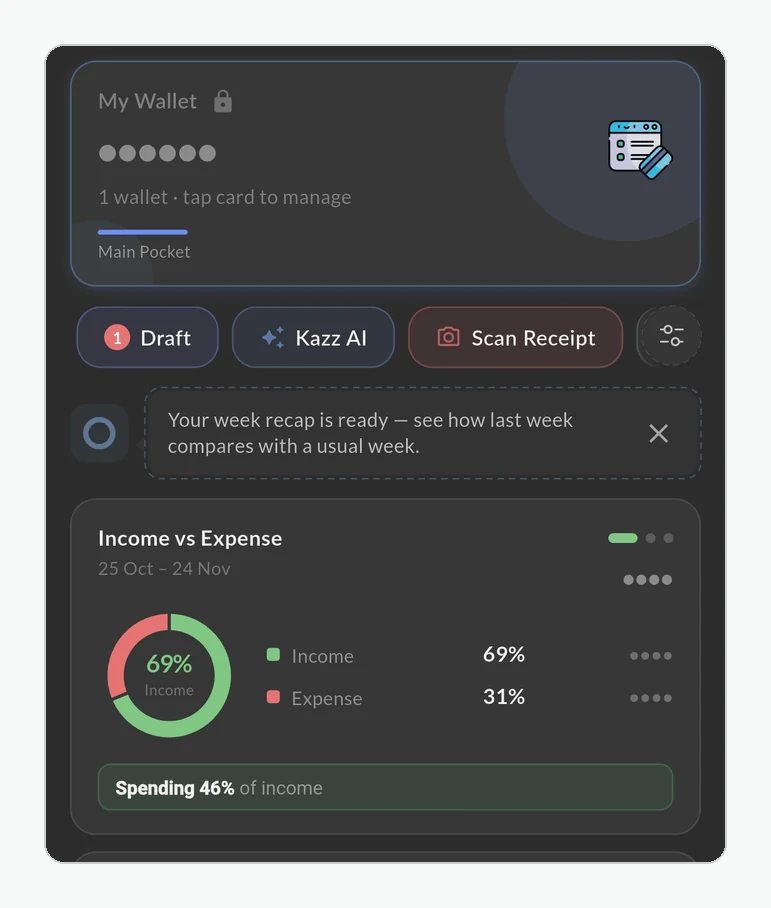
What it does
- record transactions by typing, by voice, or by scanning a receipt
- keep recording with no signal, synced when the phone is back online
- turn bank and e-wallet notifications into drafts on their own, confirmed in a batch (Android)
- ask Kazz AI about your own spending and have it draw the chart
- keep several wallets (cash flow, savings, a hidden-balance pocket, a gold pocket valued at the current price) and group them into a virtual wallet
- share a wallet with a partner or family, synced in real time
- budget by week, month, quarter, year, or a range you choose, with alerts
- classify spending as Need, Want, or Save, the Kakeibo way
- split a scanned bill evenly, per item, or by percentage
- track loans and recurring transactions
- read daily, weekly, and monthly reports, with a heatmap of the days the money left
- spend in one currency and read the totals in yours
Notifications become drafts
This is the feature that changes how the app is used.
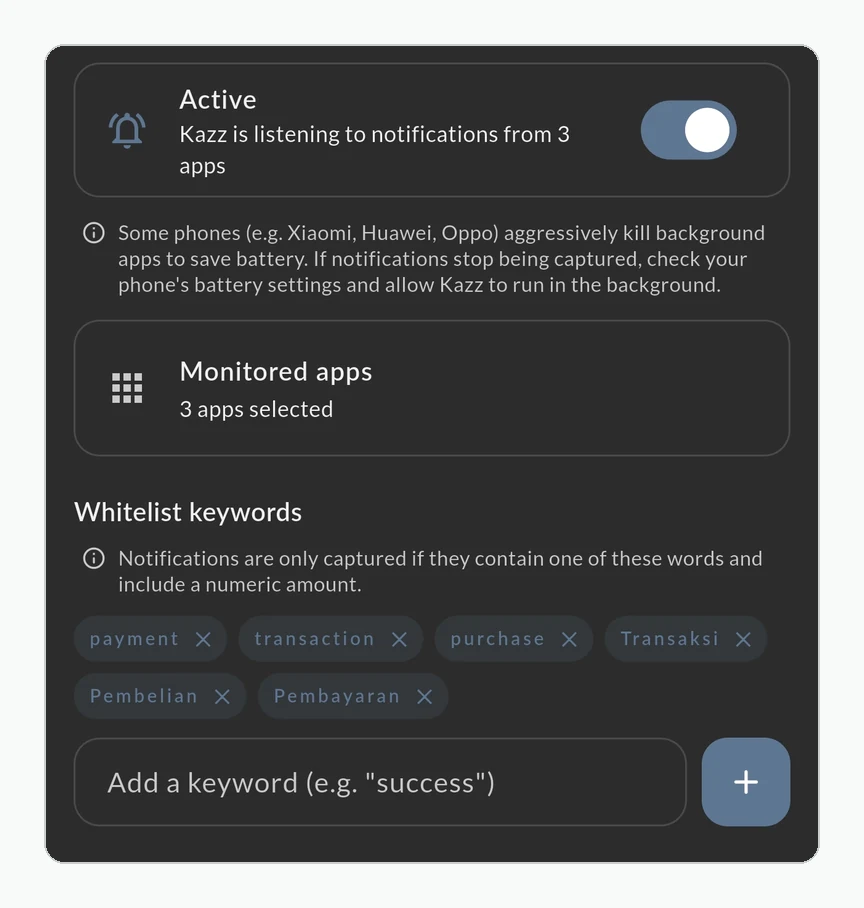
Every expense tracker has the same real problem, and it is not data entry. It is memory. People do not abandon these apps because logging is hard; they abandon them because three days go by, four transactions are gone, and the totals are now fiction. Once the numbers are wrong, there is no reason to open it again.
So Kazz reads the notifications your bank and e-wallet apps already post to your phone, and saves them as drafts. They arrive on their own, at the moment the money moved. Later you open the list, tap once, and the AI turns the batch into transactions.
The drafts matter as much as the capture. Nothing is recorded until you accept it, which keeps the automation on the right side of the line: it does the remembering and the typing, and you keep the decision. And it does not involve your bank: these are notifications your phone has already been sent, read on the device rather than through an account you have to connect. That is also why it is Android only: iOS does not let one app read another app’s notifications.
Three ways to enter one yourself
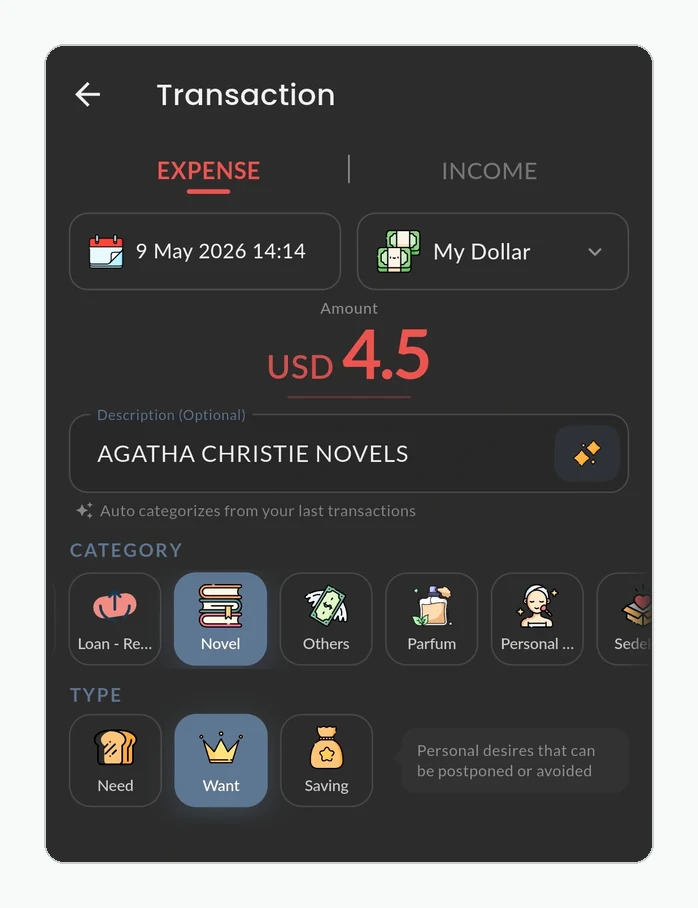
For everything that never produced a notification, like cash, a market stall, or splitting something with a friend, typing works and nobody enjoys it. Say the transaction instead and it comes back parsed into amount, category, and wallet.
Or photograph the receipt and get the line items back itemised.
Asking instead of reading
Every chart in an app answers a question somebody anticipated in advance. The chat answers the ones nobody did.
Ask where the money went last month, how much is left in the food budget, or how this month compares with February, and the answer is built from your own transactions, with the chart drawn alongside it when the shape matters more than the total. You can record a transaction by saying it in the chat, and ask about Kazz itself when you cannot find a feature.
It is not reserved for subscribers. Every account gets it; the free tier rations how often rather than locking it away. Kazz AI covers how it is built.
Wallets that behave differently
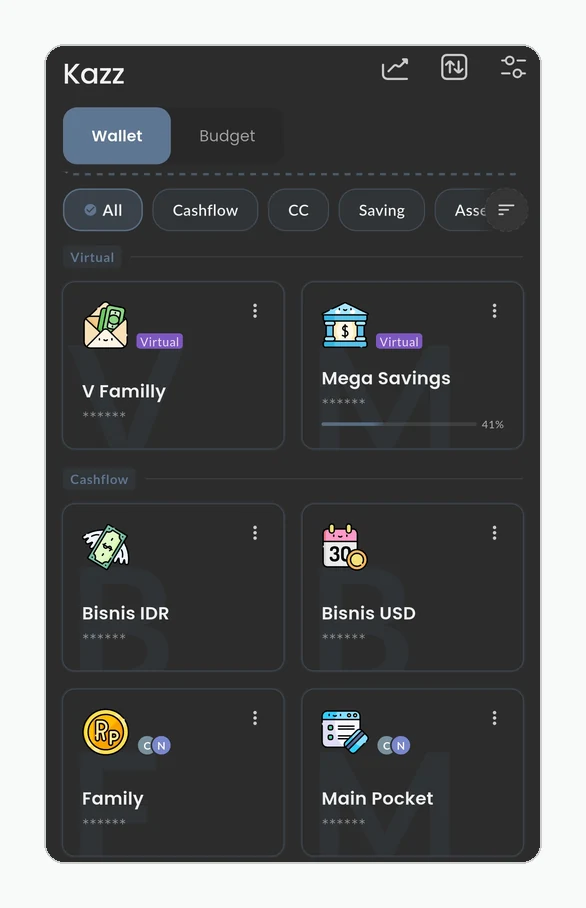
A wallet is not one kind of thing. Cash flow is money you are spending this month. Savings is money you are not. The hidden-balance pocket exists because seeing a number makes it tempting, so you can fund it and the balance stays out of sight. The gold pocket tracks weight rather than money and re-values itself as the price moves, so net worth stays honest without you maintaining it.
A virtual wallet goes the other way: it holds no money of its own. It groups two to eight wallets in the same currency, such as three accounts at one bank, and shows them as one, with a combined balance, one merged list of transactions, and a single monthly summary. Give it a target and a date and it tracks progress across all of them. Nothing moves: each wallet keeps its own transactions, and the group is worked out on the phone from what is already there.
How a budget stays current
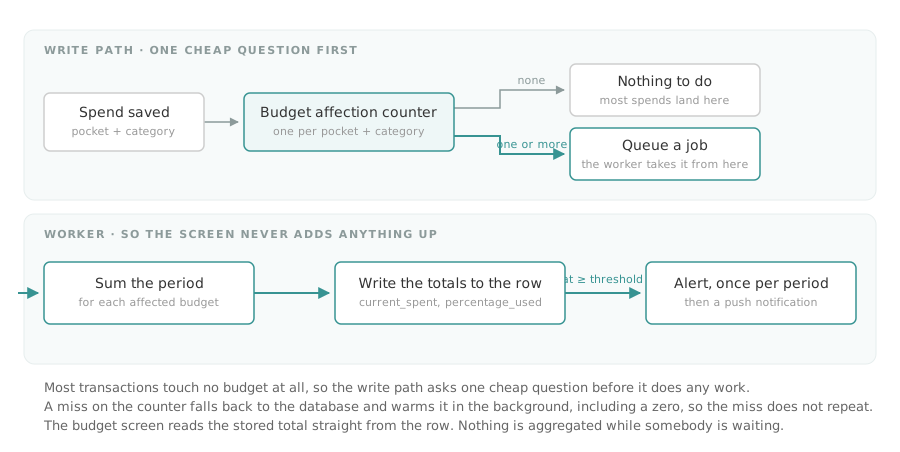
A budget in Kazz is a set of pocket-and-category pairs with an amount and a period, so groceries and eating out, from the household wallet, this month is one budget rather than three.
Keeping its total current is the interesting part. Recalculating inside the request would make saving a transaction slower for everyone, including the overwhelming majority of transactions that no budget is watching. So the write path asks one cheap question first: does any budget care about this pocket and category? Only then does it hand the work to a background worker. The screen reads a stored number and adds nothing up.
Crossing the alert threshold raises one notification per period rather than one per transaction, and on Pro a budget that reaches its end date is cloned into the next period automatically.
Seeing the shape of a month
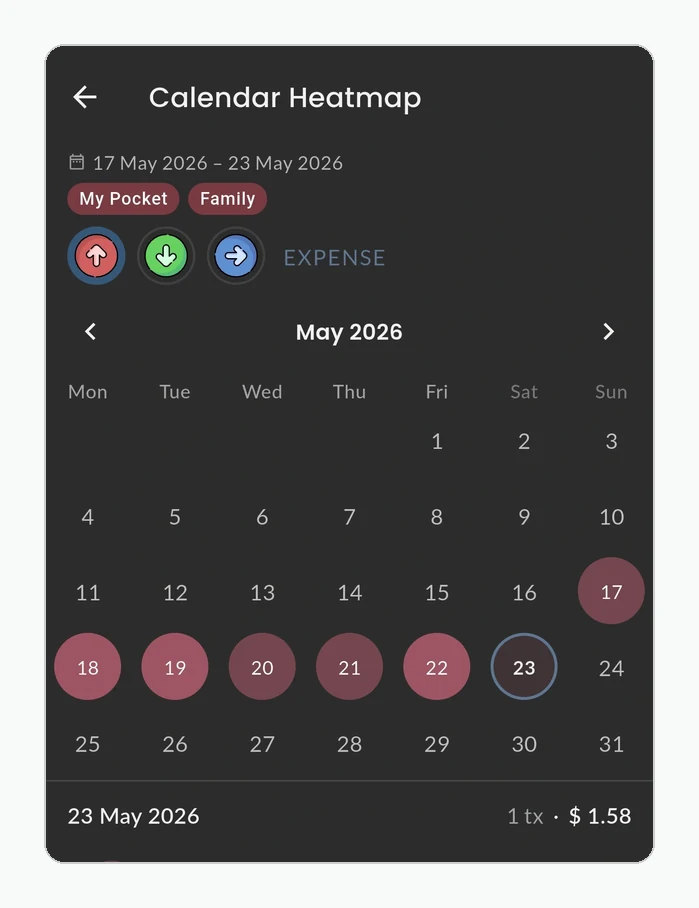
Reports run daily, weekly, and monthly, and compare against the period before. A heatmap marks the days money actually left, which is usually a more useful answer than a category total: most people are not overspending steadily, they are overspending on particular days.
Your financial month does not have to start on the 1st. Set it to the day you are paid and every report follows.
Shared wallets and two currencies
A wallet can be shared with a partner or a parent, and everyone on it sees the same balances as they change. What stays private stays private: sharing is per wallet, not per account.
Amounts are stored in the currency they were spent in and displayed in yours, which matters for anyone earning in one place and spending in another.
Working without a signal
Money gets spent where the signal is worst: a basement food court, a market, a ferry, a flight. An app that needs the server to save a transaction loses exactly those, and lost transactions are how the totals turn into fiction.
So the parts of Kazz used every day (transactions, wallets, and categories) live on the phone first. You can record, edit, or delete with no connection at all. Each change waits in a queue and goes up when the phone is back online, and whatever changed elsewhere, such as a partner adding to a shared wallet or the same account on a second phone, comes down the same way. Home is worked out on the phone from that local copy, so it opens without waiting on the network.
Two rules keep the numbers honest. A change that is sent twice, because a connection dropped halfway, is only ever applied once, so a retry cannot double a transaction. And balances never travel up from the phone: the server recomputes them from the transactions, so two devices that were offline at the same time cannot drift apart. When two edits do meet, the one that reaches the server last wins, field by field. Change the amount on one phone and the note on another, and both survive.
Exchange rates are kept on the phone too, so a transfer between currencies shows an estimate offline and the server settles the final figure when it arrives. Kazz AI still needs a connection; recording your money does not.
What Kazz does not keep
Sign-in is through Google or Apple, and that is all the identity there is: no name, no phone number, no profile. Accounts are addressed by a one-way hash of the email, which means the user list cannot be browsed, including by me.
Tech stack
- Flutter: the Android and iOS app, offline-first for transactions, wallets, and categories
- Golang: the API, hexagonal, with idempotent writes and a push-and-pull sync
- PostgreSQL, including trigram search across user-written notes
- Redis and a job queue for budget recalculation, alerts, and scheduled work
- Genkit: the AI layer, described in Kazz AI
- OpenTelemetry for traces and metrics across every service call